

目的#
把当前文件夹下的这些文件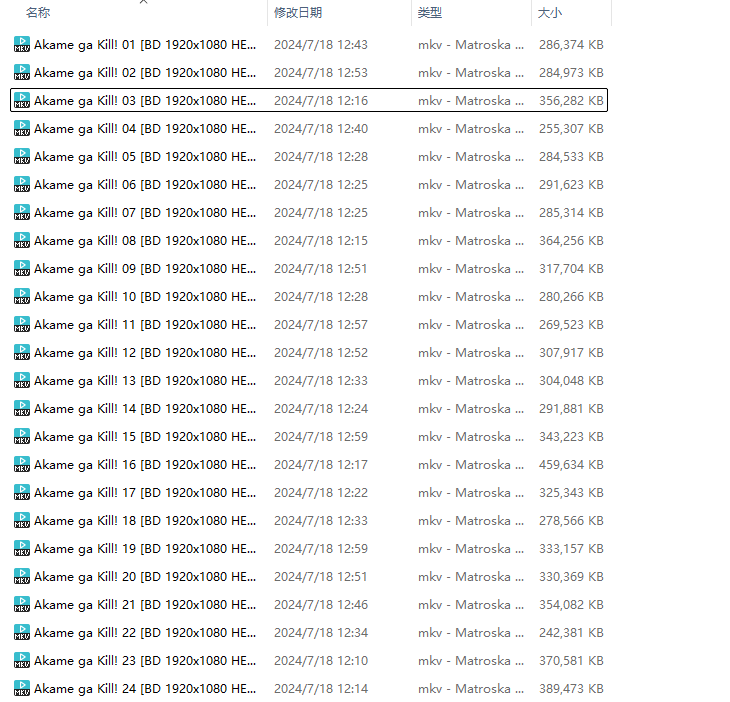
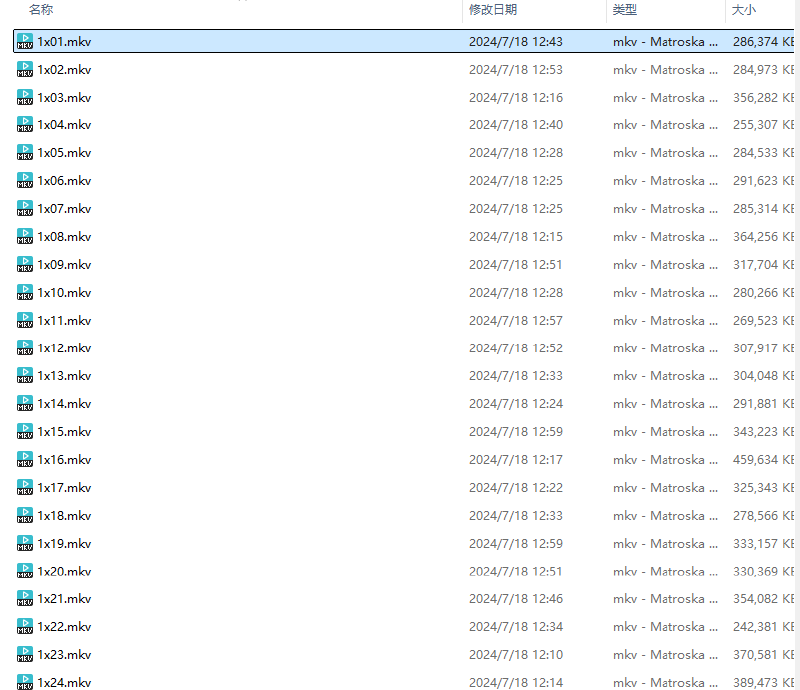
代码#
Get-ChildItem -Path . -Filter "*.mkv" | ForEach-Object {
    if ($_.Name -ne "rename") {
        $fileName = $_.Name -replace "\.[^.]+$", ""
		# ?表示非贪婪模式
        $extension = $_.Name -replace '^.+\.', ''
        # (\d+\.?\d*) 匹配数字,包括小数点
        # (\(.*?\))? 匹配括号内的内容
        $pattern = '\[(\d+\.?\d*)(\(.*?\))?\]'
        if ($fileName -match $pattern) {
            # $s = [regex]::Match($fileName, '\[(.*?)\]').Value
            $match = $matches[1] # matches哈希表仅包含任何匹配模式的第一个匹配项
            # matches[1]即第一个()中的内容
            $newName = "S01E" + $match
            Rename-Item -LiteralPath $_.Name -NewName "$newName.$extension"
            Write-Output "$newName.$extension"
        }
        else {
            Write-Output "No match found"
        }
    }
}
附bash版:
#!/usr/bin/env bash

shopt -s nullglob nocaseglob

pattern='卷([0-9]+)'

for file in *.mkv; do
    # 排除 rename.mkv
    [[ "${file,,}" == "rename.mkv" ]] && continue

    # 提取文件名和扩展名
    fileName="${file%.*}"
    extension="${file##*.}"

    if [[ "$fileName" =~ $pattern ]]; then
        # 提取第一个捕获组,即卷号
        match="${BASH_REMATCH[1]}"

        newName="S01E${match}.${extension}"

        # 防止覆盖已有文件
        if [[ -e "$newName" ]]; then
            echo "跳过:目标文件已存在 $newName"
            continue
        fi

        mv -- "$file" "$newName"
        echo "$file -> $newName"
    else
        echo "No match found: $file"
    fi
done